
Key Takeaways
What you'll learn in this article
- Speed up repeated work and waiting, but show the action that explains the result at a readable pace.
- Record ordinary video when you may need real-time detail later; interval time-lapse capture serves a different purpose.
- Show the starting state, a meaningful checkpoint, and the finished result rather than a blur of uninterrupted motion.
- Label meaningful time jumps so an attractive transformation does not imply an instant result.
- Use the questions your post leaves unanswered to choose a focused follow-up, not automatically a longer remake.
Key Takeaways
- Speed up repeated work and waiting, but show the action that explains the result at a readable pace.
- Record ordinary video when you may need real-time detail later; interval time-lapse capture serves a different purpose.
- Show the starting state, a meaningful checkpoint, and the finished result rather than a blur of uninterrupted motion.
- Label meaningful time jumps so an attractive transformation does not imply an instant result.
- Use the questions your post leaves unanswered to choose a focused follow-up, not automatically a longer remake.
TikTok time-lapse videos work best when you compress repetition without compressing the reason something changed. Before recording, decide what the viewer should notice or learn, keep that moment in ordinary video, and accelerate the surrounding work. If you are unsure which movement will matter, record normal video and adjust its playback speed during editing rather than committing the entire process to interval capture.
This is a production method, not an algorithm rule. A faster clip is not automatically a stronger post. The useful question is whether someone can understand the transformation and trust what they saw.
Decide whether the post is a transformation or a demonstration
A transformation post promises a visible change: a cluttered shelf becomes usable, a drawing takes shape, or a plant moves into a larger pot. The viewer mainly needs to recognize the starting point, follow progress, and see the outcome.
A demonstration promises something reproducible: how to release a root-bound plant, mix a particular paint consistency, or tighten a specific fitting. The viewer needs to see the decisive movement, not just its aftermath.
Write one sentence before setting up the camera:
- Transformation: “Watch this crowded windowsill become a usable plant corner.”
- Demonstration: “See how I check whether this plant needs a larger pot.”
Those are different filming briefs, even if they happen during the same afternoon. Avoid promising instruction in the hook and delivering only a fast montage. If the movement cannot remain legible in your planned edit, narrow the lesson or make the transformation promise explicit.
Choose the capture mode before the process starts
True time-lapse capture and speeding up ordinary footage are not interchangeable recording decisions.
Apple’s iPhone camera guide describes time-lapse as capturing footage at selected intervals. That makes it useful for changes that unfold over time. It also means you should not assume that slowing the resulting file will reveal every intermediate hand movement: those moments may never have been captured.
For TikTok time-lapse videos, choose between these approaches based on what you must preserve:
- Ordinary video, accelerated later: Use this for craft techniques, assembly, food preparation, or any process where you might need to return to a readable demonstration. It gives you more editorial flexibility, though long recordings need storage and battery planning.
- Interval time-lapse: Use this when the interesting subject is gradual change rather than a precise action, such as a shifting shadow or a slowly filling workspace.
- Separate recordings: Capture repetitive progress in time-lapse and record essential checkpoints as ordinary video. This requires a shot list so you do not miss an irreversible step.
Do not rely on an editing effect to reconstruct a detail that was never recorded. If you discover the problem afterward, an honestly labeled close-up demonstration can be more useful than stretching a sparse clip into a choppy slow sequence.
Mark your process as show, accelerate, or skip
Write a short action list, then give each action one of three labels. This is an editing decision aid, not a prescribed TikTok format.
Show: the viewer needs evidence or understanding
Keep the starting condition, a decision that changes the process, and the final check readable. For a furniture assembly post, that might mean showing the orientation of a bracket before tightening it. For a drawing, it could be the pencil angle responsible for a particular mark.
A readable checkpoint does not have to become a long explanation. Use a stable close-up and a short, specific line describing what matters.
Accelerate: the action repeats without changing meaning
Repeated brush strokes, moving similar objects, and filling an already established area often benefit from compression. Show enough normal-speed action first for the viewer to recognize it, then move through the repetition faster.
Pick the speed by inspecting the exported video on a phone. If the movement becomes distracting or the object disappears behind flickering hands, shorten the sequence or use a clean cut instead of accelerating further.
Skip: the interval adds no useful information
Fetching supplies, resetting the camera, or waiting off-screen may need only a transition. When the elapsed time matters to understanding the result, add a truthful label rather than pretending the process was continuous.
For example, “after drying overnight” explains a meaningful wait. It is more informative than silently cutting from wet paint to a finished object.
Set up for continuity, not just a pretty opening frame
Apple’s guide recommends placing the phone on a stable surface or tripod for time-lapse recording. For a creator workflow, extend that basic setup with a rehearsal of the actual action.
- Frame the largest movement, not just the still subject. Leave room for hands, tools, and the finished object.
- Walk through the decisive step without doing anything irreversible. Check whether your arm blocks the camera.
- Inspect a short test recording for focus, exposure shifts, and distracting movement in the background.
- Keep the subject and camera position consistent across checkpoints when comparison matters.
- Check power, available storage, and whether the device can safely remain in place throughout the process.
If the final result needs a different angle, capture that as an additional reveal. Keep a matched view too, so the audience can compare the beginning and end without guessing whether lighting or framing created the difference.
Never prioritize a continuous recording over safe handling of tools, hot surfaces, or materials. Pause filming or obtain help when the task requires your full attention.
Edit time honestly
A short video can represent a long process without misleading anyone. The important distinction is between removing uneventful time and hiding a condition that explains the outcome.
If a process includes curing, resting, multiple attempts, or work completed outside the frame, make that clear when it changes the viewer’s interpretation. Avoid suggesting that a material sets immediately or that a complicated result happened in one effortless pass.
Keep three anchors in the edit:
- A starting view that shows the actual initial condition.
- A checkpoint that explains the meaningful change.
- A finished view long enough to inspect the result.
Music can support the accelerated section, but it should not determine where essential information disappears. Choose a sound you have permission to use for the post’s intended purpose. If speech or original sound carries the explanation, preserve its clarity instead of forcing the entire edit to follow a beat.
A hypothetical repotting post
Imagine a plant creator wants to show a pothos moving out of a crowded nursery pot. This is an illustrative filming plan, not a customer result or a plant-care prescription.
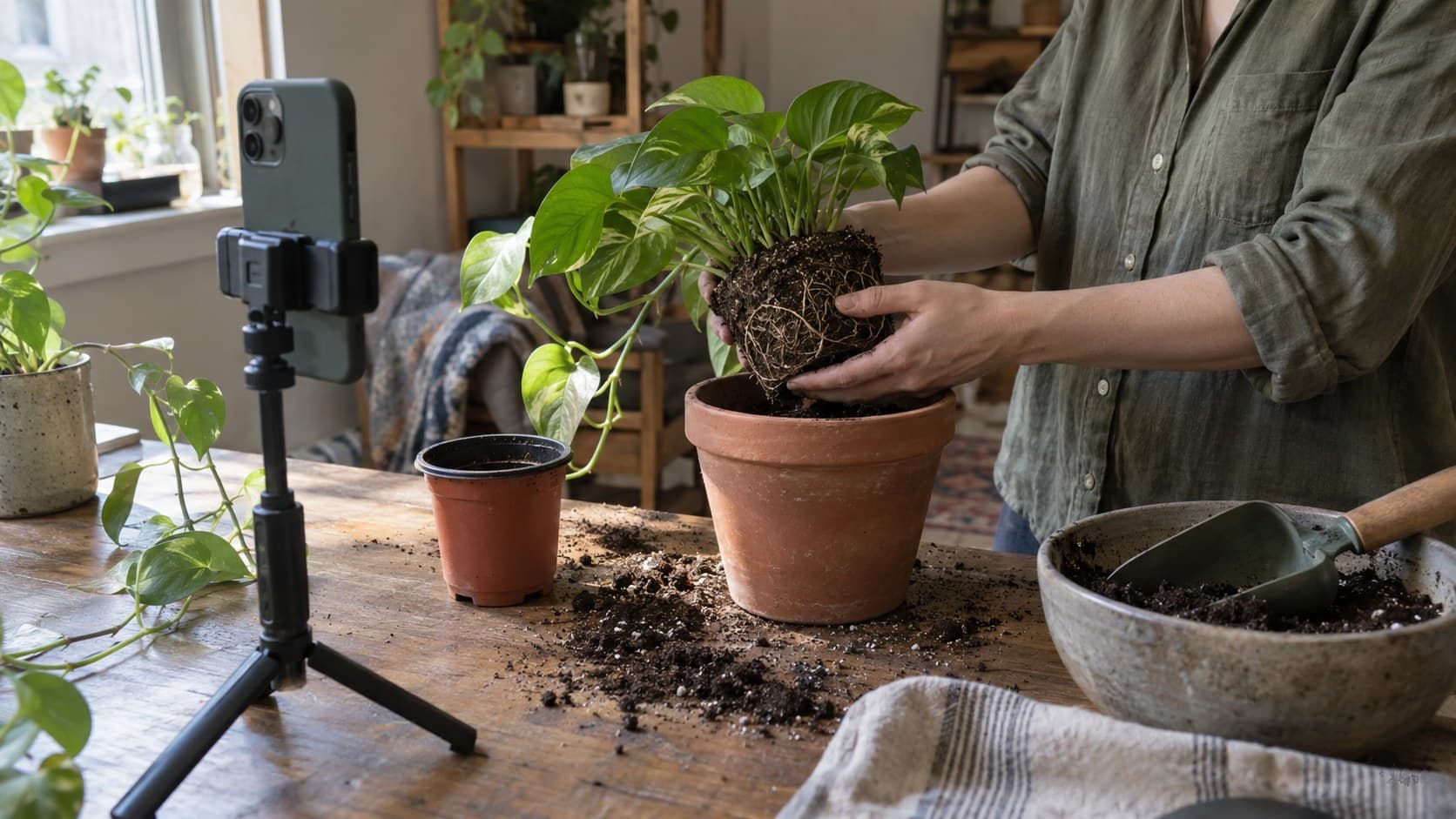
The creator first records the starting plant and both pots from the same angle. They then capture the removal and inspection in ordinary video because the condition of the root ball explains the decision. Repeated scooping and workspace cleanup can become an accelerated sequence or brief cuts. The final shot returns to the original framing.
An appropriate transformation hook is “Here is what changed when I repotted this crowded pothos.” A hook promising “How to tell when your plant needs repotting” would require more explanation of that decision and its limitations.
If viewers ask how the root ball came free, the next post can demonstrate that specific action with suitable care guidance. There is no need to stretch the entire repotting montage into a longer version that still hides the requested detail.
Turn the finished video into a better next-post plan
TikTok time-lapse videos give you two things to evaluate separately: whether the transformation attracted interest and whether the important moment was understandable.
TikTok’s official Studio documentation describes account and video analytics, including viewer information and engagement insights such as comments and future-post inspiration. Use the fields available in your interface; availability and detail can vary.
Review questions alongside your available performance metrics. “What happened between these shots?” points toward a missing checkpoint. “Can you show the tool position?” suggests a close-up follow-up. Praise for the result alone does not establish that a tutorial was easy to reproduce.
InsightTok AI can help package that follow-up through Next Post Studio, bringing together hook options, a niche-relevant sound, and a suggested posting window. Start with the unresolved viewer need; do not let a sound suggestion redefine the lesson. If you only need opening-line alternatives, use the hook generator and keep the promise tied to footage you can actually show.
When comparing posts, use a similar topic and purpose and give them the same observation period. Note what you changed. A stronger response to one video is useful planning evidence, not proof that playback speed, music, or timing alone caused it.
Your pre-publish check
Watch the export once as a stranger to the process. Can you identify the starting state, the decisive action, and the result? Are meaningful waits labeled? Is the hook honest about whether this is a transformation or a lesson?
Fix the missing piece rather than accelerating everything again. Then choose one specific question for your next video. If you want help turning that question into a practical hook, sound, and timing plan, try InsightTok AI.
InsightTok AI Team
Expert in TikTok growth strategies and social media analytics. Helping creators reach millions with data-driven insights and AI-powered recommendations.
Ready to Grow Your TikTok?
Get AI-powered analytics and content recommendations to boost your views and engagement.
Start Free TrialRelated Posts
Why Your TikTok One Profile Is Invisible to Brand Discovery AI in 2026
Uncover the secrets to optimizing your TikTok One profile for AI search systems, attract higher-value sponsorships, and boost your earnings on the platform.
Why Your TikTok Shop Returns Are Silently Destroying Your Profit Margins
Discover how returns can silently eat into your TikTok Shop profits and how to combat this with InsightTok AI's Commission Reversal Recovery Framework.
Why Your Daily Posting Schedule Is Sabotaging Your TikTok Growth in 2026: The Frequency-to-Engagement Inversion Framework
Debunking the myth that posting more on TikTok guarantees success in 2026. Discover the power of quality over quantity and how it can elevate your TikTok growth.