
Key Takeaways
What you'll learn in this article
- Answer one size question per video: overall dimensions, usable space, or whether a specific object fits.
- Show the complete product before moving into close-ups, and keep reference objects at a similar distance from the camera.
- Measure the exact variant you filmed, label the units, and distinguish exterior dimensions from usable interior space.
- Keep the decisive fit test visible; a cut that skips the closing, insertion, or clearance check can hide the answer.
Key Takeaways
- Answer one size question per video: overall dimensions, usable space, or whether a specific object fits.
- Show the complete product before moving into close-ups, and keep reference objects at a similar distance from the camera.
- Measure the exact variant you filmed, label the units, and distinguish exterior dimensions from usable interior space.
- Keep the decisive fit test visible; a cut that skips the closing, insertion, or clearance check can hide the answer.
To show product size in TikTok videos clearly, combine a full-product context shot, a visible measurement, and a real fit demonstration. A close-up can reveal texture, but it cannot reliably tell viewers whether a pouch holds their notebook or an organizer clears a drawer. Build the video around that practical question instead of expecting a hand or a dramatic camera angle to communicate everything.
The workflow below is practical filming guidance, not a claim about TikTok's recommendation system. Its goal is a video that helps someone make a better decision before buying, packing, or reorganizing.
Choose the size question before the hook
“How big is it?” often hides a more useful question. A viewer might need to know whether a bottle fits a cup holder, whether a box leaves room for cables, or whether a pouch closes around a particular notebook.
Choose one primary question before recording:
- Overall footprint: how much desk, shelf, or floor space does it occupy?
- Usable space: what fits inside, beyond the advertised exterior dimensions?
- Clearance: can it open, close, slide, or rotate in the intended location?
- Carrying fit: does it fit the specific pocket or bag you are demonstrating?
Those are different videos. Trying to answer them all in a fast montage makes the evidence difficult to follow.
Write a plain opening sentence that names the test. “Here is whether this pouch closes around my notebook” is more useful than “You won't believe how much this holds.” The first sentence also tells you exactly which action must remain visible in the edit.
Verify the variant and measurement state
Before filming, check the exact model, size option, and configuration in your hands. A listing may combine several variants. Your audience should not have to infer which one appears in the video.
For a foldable or expandable item, decide whether you are showing it folded, expanded, empty, packed, open, or closed. Include handles, feet, lids, and other protrusions when they affect the fit question. A storage box that fits a shelf without its lid is not necessarily a box that fits when ready for use.
TikTok Shop's official guidance on avoiding misleading content says product attributes, including dimensions, must match the product detail page. It also warns against creating a false or inaccurate impression of a product. If your measurement conflicts with the listing, resolve the discrepancy before presenting a confident promotional claim; do not silently select whichever number sounds better.
Keep a short filming note containing the variant, configuration, measurement endpoints, and units. For flexible materials, note whether you measured the item flat or filled. Avoid stretching a soft bag to manufacture extra capacity.
Set up a context shot that does not exaggerate scale
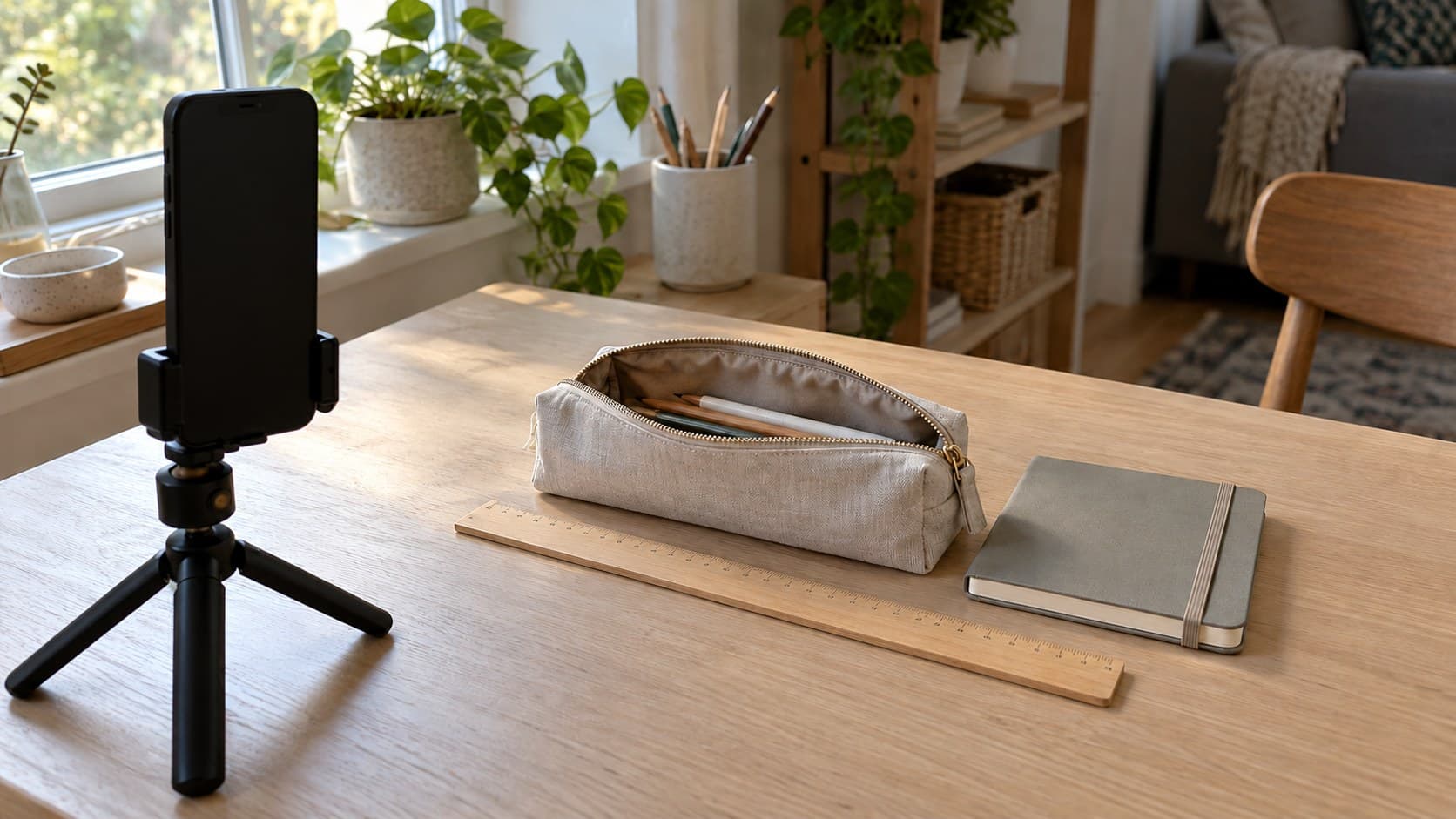
When you show product size in TikTok videos, start with enough space around the item to reveal its whole outline. Place it on the surface where someone would reasonably use it. A neutral desk shot usually explains more than a product held very close to the lens.
A reference object can help, but it is not a measurement. Hands, mugs, notebooks, and phones vary in size. Name the reference when that detail matters, or use a ruler to supply the actual dimension.
Try this setup:
- Place the product and reference beside each other on the same surface, rather than putting one far behind the other.
- Move the camera back until the nearest edge no longer dominates the view.
- Frame the full item, including any part that affects its footprint.
- Record a short test and check that neither object blocks the other's outline.
Changing the camera's distance changes perspective. Cropping a wider shot can change framing, but it does not undo the perspective created by placing the camera very close. If the test shot makes the near end look disproportionately large, change the physical setup before recording the final take.
You can still include an attractive detail shot later. Just do not ask that shot to prove size.
Record three shots that answer the question
1. Establish the whole item
Show the product in its relevant state with its boundaries visible. If the question is whether a pouch closes, show the pouch and the object going inside it. If the question is shelf fit, show the shelf opening and any obstruction that matters.
Keep this view steady enough to inspect. The point is orientation, not a long introduction.
2. Show the deciding measurement
Film the measurement that actually determines the answer. For a drawer organizer, that may be exterior width plus available drawer width. For a rigid case, it may be the interior opening rather than the broadest outer edge.
Align the ruler or tape with the relevant endpoints and make the starting point clear. Do not measure diagonally when describing width. Keep your hand from covering the mark you want viewers to read.
Add a short label with the dimension and units during editing. If you provide a unit conversion, calculate it and use sensible precision; do not turn an approximate household measurement into a claim of laboratory accuracy.
3. Show the fit without skipping the decisive action
Insert the notebook, close the pouch, slide the drawer, or open the lid. Keep the action and its result in view. An item resting halfway inside a container does not prove that the container closes.
For a tight fit, show the tightness instead of hiding it with a cut. “It closes, but the corners press against the zipper” is a more informative conclusion than “Perfect fit.” Avoid forcing an object into place or performing a test that could damage the product.
Edit for clarity, not a bigger-looking product
You do not need to hold every shot for a prescribed number of seconds. Watch the edit on a phone and ask whether someone can read the measurement and understand the action without repeatedly pausing.
Use labels to distinguish facts that are easy to confuse:
- Exterior width versus interior width.
- Empty versus packed.
- Folded versus fully opened.
- The product's dimensions versus the dimensions of your shelf or drawer.
Keep measurement text away from the edges and preview it in the actual posting interface so controls and captions do not obscure it. Use plain, legible text rather than decorative lettering over a busy background.
Do not stretch a clip, resize separate product cutouts to look balanced, or replace the real fit test with generated imagery. The purpose of the video is to show what this item does in this setup. Visual polish should not change that evidence.
A hypothetical pouch demonstration
Imagine a stationery creator whose viewers keep asking whether a compact pouch can hold a small notebook. This is an illustrative filming plan, not a reported customer result.
The creator begins with the pouch and notebook side by side. They identify the pouch variant and show the notebook's measured dimensions. Next, they show the pouch opening and insert the notebook in one continuous view. Finally, they close the zipper and turn the pouch so any bulging is visible.
The conclusion stays narrow: this particular notebook fits in this particular pouch, with the clearance shown. It does not become “fits every small notebook.”
A useful follow-up might answer whether pencils still fit alongside it. That is a new practical question, not the same demonstration with a different trending sound. Keep a list of unresolved fit questions so your next recording session starts with evidence to capture rather than another generic product montage.
Turn the demonstration into a next-post plan
Once you know what the video must prove, use InsightTok AI to help plan the packaging around it. Next Post Studio brings together account-informed hook options, a niche-relevant sound, and a recommended posting time. These are planning inputs, not substitutes for measuring the object or checking a product claim.
Choose a hook that accurately describes the footage you have. If you need alternative wording, the free hook generator can help you explore openings without turning a simple fit check into an exaggerated promise. Keep spoken measurements easy to hear, and use only music you have permission to use for the post's context.
InsightTok AI can help organize the next post, but the creator still owns the demonstration's accuracy. A sound recommendation does not establish commercial-use rights, and a posting recommendation does not guarantee distribution or sales.
Your final size-demonstration check
Before you show product size in TikTok videos, replay the finished version and check:
- Can a viewer identify the exact item and configuration?
- Is the full outline visible before any close-up?
- Are measurement endpoints and units clear?
- Does the video distinguish external size from usable space?
- Is the decisive fit or clearance test visible without a concealing cut?
- Does the conclusion describe only what the footage proves?
If one answer is no, fix that shot or label before adding another effect. A useful size demonstration replaces guesswork with a visible answer.
When you are ready to package that answer into your next post, create an account and build a focused plan around the question your footage actually resolves.
InsightTok AI Team
Expert in TikTok growth strategies and social media analytics. Helping creators reach millions with data-driven insights and AI-powered recommendations.
Ready to Grow Your TikTok?
Get AI-powered analytics and content recommendations to boost your views and engagement.
Start Free TrialRelated Posts
Why Your Creator Identity Gets Stolen But TikTok Has No Verification System: The Deepfake Impersonation Defense Framework
Explore how deepfake technology is affecting TikTok creators and discover a practical defense framework to protect your identity, authenticate sponsors, and secure your brand.
Why Your Creator Health Rating Tanked After August 2026: The Policy Compliance Recovery Framework
This guide demystifies the TikTok August 2026 policy update, helps identify hidden violations, and provides a detailed appeal process to restore full monetization eligibility.
Reduce Glare in TikTok Product Videos Without Hiding the Detail
Reduce glare in TikTok product videos with simple light, angle, and movement checks that keep glossy surfaces and important details easy to see.