
Key Takeaways
What you'll learn in this article
- Show the endpoint your viewer needs to recognize, not just a browned exterior or an attractive final plate.
- Separate food-safety checks from texture preferences: a thermometer reading and a crispness demonstration answer different questions.
- Film the real check, keep its units readable, and never replace a missing measurement with an invented overlay.
- Build your next post around one specific uncertainty, such as where to check a chicken breast or how to recognize a reduced sauce.
Key Takeaways
- Show the endpoint your viewer needs to recognize, not just a browned exterior or an attractive final plate.
- Separate food-safety checks from texture preferences: a thermometer reading and a crispness demonstration answer different questions.
- Film the real check, keep its units readable, and never replace a missing measurement with an invented overlay.
- Build your next post around one specific uncertainty, such as where to check a chicken breast or how to recognize a reduced sauce.
Useful TikTok cooking tutorials show viewers how to decide when a step is finished. Record the relevant endpoint clearly, explain what it establishes, and keep safety evidence separate from visual appeal. For meat and poultry, a browned surface is not a substitute for checking the internal temperature with a food thermometer. For a texture lesson, show the actual movement or consistency instead of simply saying “cook until done.”
The filming workflow below is practical editorial guidance, not a replacement for a tested recipe or food-safety instructions. Its purpose is to help you make one cooking decision understandable on a small screen.
Start with the question your final plate cannot answer
A beautiful finished dish can leave the most important instruction unresolved. Viewers may see the result without knowing when to take their own pan off the heat.
Choose one uncertainty before recording:
- “How do I check this chicken breast before slicing it?”
- “What does this sauce look like at the consistency the recipe calls for?”
- “Does this recipe require a rest before I cut the meat?”
- “What does the finished vegetable texture look like when pierced?”
These are different lessons. Do not squeeze all of them into a single short tutorial unless each is essential to the recipe you are teaching.
Write your video's promise in one sentence: “After watching, the viewer can perform this check.” That is more useful than “After watching, the viewer wants to eat this.” You can still include an appealing serving shot, but it should support the lesson rather than replace it.
Separate a safety check from a texture cue
The CDC's food-poisoning prevention guidance explains that color and texture are not reliable ways to establish that meat or poultry is safely cooked. Use a food thermometer and follow the guidance for the specific food.
For common examples, CDC lists:
- All poultry, including ground chicken and turkey: 165°F.
- Ground meats such as beef and pork: 160°F.
- Whole cuts of beef, veal, lamb, and pork: 145°F, followed by a three-minute rest before carving or eating.
Do not turn one of these values into a universal cooking temperature. Food type and required rest matter. Consult the source for the food you are demonstrating, and follow your thermometer's instructions for correct placement and use.
Then identify the separate sensory result: a browned surface, a thickened sauce, a crisp edge, or a tender interior. Describe these as texture or appearance cues, not proof of safety.
For example, “This is the crust I want” says something specific about the exterior. “This color means the chicken is safe” makes a different claim that the image cannot establish. Tightening that sentence is an important editing step.
Prepare the shot before the food reaches its endpoint
Do a rehearsal with an empty plate or cool cookware. You should not be discovering your tripod angle while managing hot food.
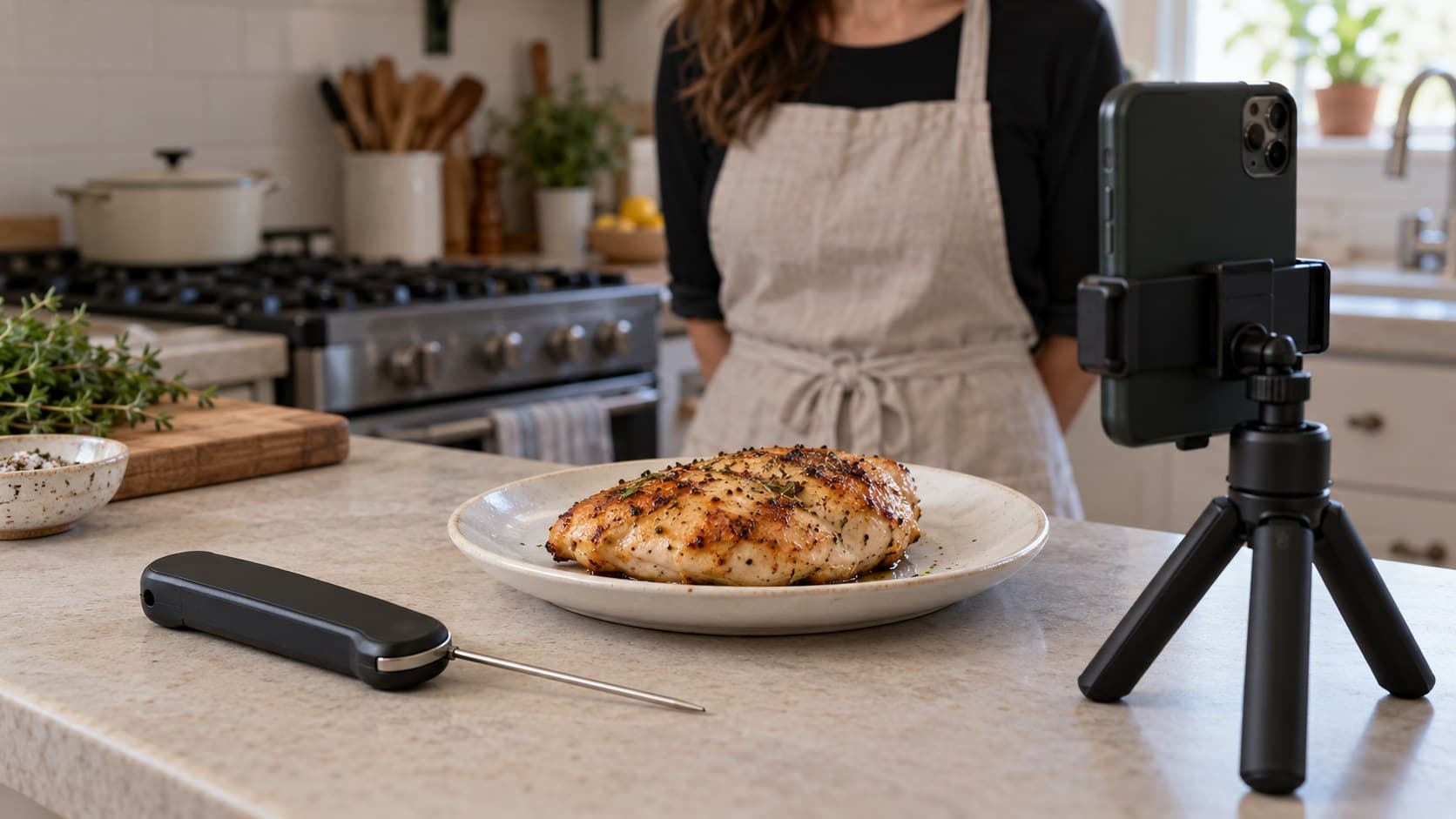
Set the phone where it can show both the action and the relevant evidence. A wide overhead composition may explain the arrangement but make a thermometer display unreadable. A closer side view may show the probe placement more clearly. Choose the angle for the lesson, not because it looks like another creator's kitchen.
Check these details before cooking:
- The phone support is stable and clear of heat, water, and your working path.
- Your hand will not hide the point you need to show.
- Reflections will not wash out the thermometer display.
- The unit indicator will be visible if you show a numerical reading.
- Your narration can be heard without competing kitchen noise.
Keep raw-food preparation separate from clean serving equipment. CDC recommends cleaning hands and surfaces and separating raw meat and poultry from ready-to-eat foods. Plan camera handling around that workflow; do not keep touching your phone with hands used for raw-food preparation.
Film the real decision, not a reenactment of the result
For temperature-based TikTok cooking tutorials, capture the check you actually use to decide whether cooking should continue. Follow the thermometer manufacturer's placement instructions and allow the reading to settle as directed.
Record enough context to connect the measurement to the food. A tight display shot alone can look convincing while teaching viewers nothing about where the probe went. A useful sequence is:
- Show the food being checked and the relevant placement.
- Hold the shot long enough to see the stable reading and units.
- Explain the next action: continue cooking, perform another required check, or follow the recipe's resting step.
If the food has not reached its required temperature, continue cooking and check again. You do not need to manufacture a perfect first attempt for the camera.
For a sauce-consistency lesson, record the same repeatable action at the relevant stage: draw a spoon through the sauce, lift it, or tilt the pan safely. Explain the recipe-specific cue. Avoid implying that a sauce's thickness proves the safety of any meat, egg, or other ingredient in it.
Preserve the meaning when you edit
An edit can accidentally remove the information that made the original demonstration useful. Review the endpoint sequence before adding music, transitions, or decorative captions.
Keep temperature units next to any temperature you state. Do not crop a display so tightly that viewers cannot tell whether it is showing Fahrenheit or Celsius. Do not mirror footage if it reverses the digits or labels.
A text overlay may repeat a genuine reading for clarity. It must not invent one because the display was blurry. If you missed the evidence, record a new, genuine demonstration with a fresh cooking session when necessary; do not present a later staged shot as the original check.
Label time jumps honestly. If the recipe includes resting, do not cut from the check to carving in a way that implies an immediate transition. State the required rest in the narration or caption, even if the waiting period itself is not shown.
Before exporting, watch without sound and then listen without looking. The silent version should preserve the key instructions in text; the audio should not make unsupported promises that the images cannot prove.
A hypothetical chicken tutorial brief
Imagine your audience keeps asking whether a browned chicken breast is finished. This is an illustrative content plan, not a reported creator result.
Your opening could be: “The browned outside doesn't answer this question—here's the check I use before slicing.”
Show the exterior briefly, then move to the actual thermometer check. State that CDC lists 165°F for poultry. Follow the device instructions, show the stable reading, and explain what you do next. Only then show the sliced serving shot.
The teaching point is the decision process, not a juicy reveal. If the temperature display is unreadable in your recording, that is a missing teaching shot, even if the final plate looks excellent.
Keep the caption aligned with the demonstration. Include essential recipe context and a link or reference to the authoritative guidance rather than suggesting that viewers can judge their own chicken from your finished-food image.
Turn an unresolved question into the next post
Good TikTok cooking tutorials do not have to cover a whole dish every time. One well-explained endpoint can be a standalone answer to a recurring audience question.
Collect the exact uncertainties viewers express, then choose one you can demonstrate honestly. Draft two opening lines using the free hook generator, but reject any suggestion that exaggerates danger, promises a perfect result, or changes the lesson.
InsightTok AI can help turn that chosen question into a next-post plan through Next Post Studio, with hook ideas, niche-relevant sound discovery, and account-specific posting-time guidance. Those tools help package the lesson; they do not validate a recipe or establish food safety. Keep narration intelligible if you add a sound.
After publishing, look for whether viewers understood the check. Repeated placement questions suggest a missing angle; repeated unit questions suggest unclear labeling. Treat these as editorial feedback, not proof that one change will increase reach. The InsightTok AI overview explains how account-specific planning fits into that wider workflow.
Run one final check before posting
Confirm that the video answers one endpoint question, shows real evidence, preserves temperature units and any required rest, and separates texture preferences from safety claims. Check that captions match the footage and that raw-food handling is not mixed with the serving setup.
Do not prolong a shoot by leaving perishable food out. CDC advises refrigeration within two hours, or within one hour when food is exposed to temperatures above 90°F. Build the filming schedule around safe handling, not the other way around.
Choose your next unresolved cooking question, write the decision you want viewers to learn, and film that decision clearly. If you want help organizing the hook and publishing plan, start here.
InsightTok AI Team
Expert in TikTok growth strategies and social media analytics. Helping creators reach millions with data-driven insights and AI-powered recommendations.
Ready to Grow Your TikTok?
Get AI-powered analytics and content recommendations to boost your views and engagement.
Start Free TrialRelated Posts
TikTok Sewing Tutorials: Make the Seam Allowance Visible
A practical filming workflow for sewing creators: reveal the raw edge and stitch line, show machine-guide alignment, and verify the finished seam before posting.
Distorted Audio in TikTok Videos? Find the Overload Before You Reshoot
Fix distorted audio in TikTok videos by tracing the damaged stage, testing recording gain, and deciding what to repair or record again.
TikTok Photo Alt Text: Make Each Tutorial Slide Understandable
Learn how to add TikTok photo alt text, describe tutorial slides clearly, and review your image descriptions before or after posting.