
Key Takeaways
What you'll learn in this article
- Teach one audible pedal decision, not an entire song plus a new foot technique.
- Record both examples with the same phrase, instrument, microphone position, and volume so the comparison stays useful.
- Preserve the sound after the keys are released; cutting that tail can remove the evidence you want viewers to hear.
- Show pedal movement in sync with the performance, and use viewer questions to choose the next lesson.
Key Takeaways
- Teach one audible pedal decision, not an entire song plus a new foot technique.
- Record both examples with the same phrase, instrument, microphone position, and volume so the comparison stays useful.
- Preserve the sound after the keys are released; cutting that tail can remove the evidence you want viewers to hear.
- Show pedal movement in sync with the performance, and use viewer questions to choose the next lesson.
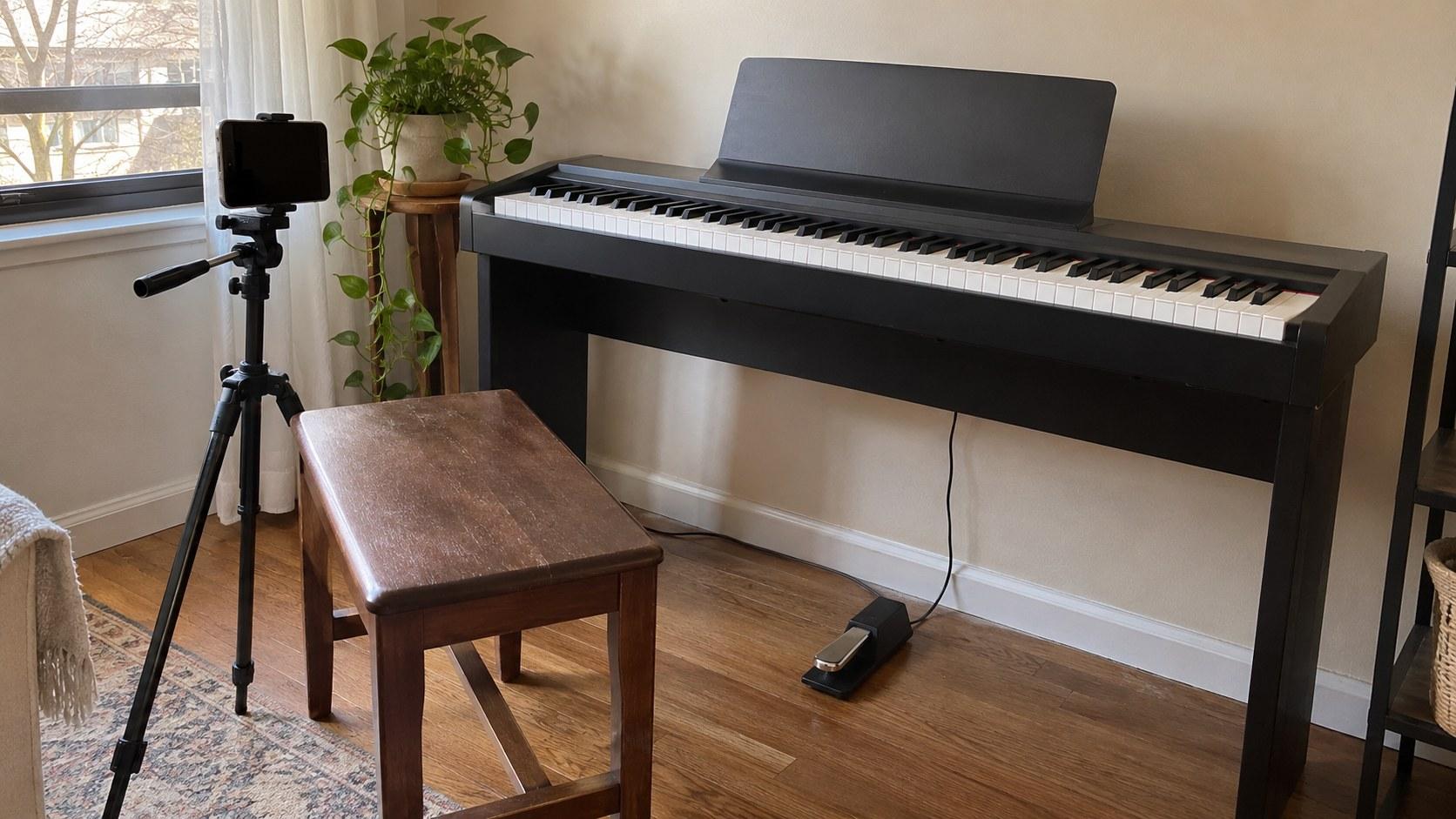
Effective piano TikTok tutorials make the sustain pedal's effect easy to hear before asking viewers to copy it. Play a short phrase twice under matched recording conditions, identify the exact transition to listen for, and show when the foot releases and presses again. Keep background music out of the demonstration and leave enough silence afterward to hear the notes decay.
This is a filming and lesson-planning workflow, not a rule that every piece needs the same pedaling. Your goal is to make one musical choice understandable on a small screen without pretending a polished performance is a complete explanation.
Choose one sound problem the viewer can recognize
“Sustain pedal tips” is too broad for a single useful demonstration. Begin with a question a learner could answer after watching:
- Why do these two harmonies blur together?
- Why does my phrase break when I lift the pedal?
- What changes when I release the keys but keep the pedal down?
Pick one. If your lesson needs a new chord shape, unfamiliar rhythm, and foot coordination, simplify the phrase before adding more explanation.
For a first demonstration, use a short pattern you can repeat consistently rather than a recognizable song that demands a performance. State the starting conditions: the instrument, the notes or chords, and whether you are illustrating a basic full pedal release rather than more advanced half-pedaling.
Yamaha's upright-piano pedal guide explains that the right damper pedal disengages the dampers, allowing strings to continue vibrating after keys are released. That physical effect gives your video a clear listening target: what continues ringing, and when it stops. If you use a digital piano, name that setup rather than implying viewers are hearing an acoustic instrument.
Do not label all overlapping sound a mistake. Describe what is happening in your chosen example and why a different release fits this particular phrase.
Make the comparison fair before making it attractive
The viewer should hear a change in pedaling, not a change in your recording setup. A brighter second take or louder chord can distract from the actual lesson.
Before recording, settle on these controls:
- Use the same instrument sound for both passes. Avoid switching presets or adding a more spacious effect to the preferred version.
- Keep the phone or microphone in the same position. Mark the tripod location if you need to move it later.
- Play the same notes at a similar tempo and touch. Rehearse until you can repeat the phrase without a large change in dynamics.
- Keep recording levels and processing consistent where your equipment allows. Do not heavily clean up only one example.
- Leave a short listening space after the final notes. Let the remaining resonance or its absence be heard.
These are practical production controls, not a laboratory claim that two performances are identical. You are removing obvious distractions so a learner can judge the intended difference.
Record a test and listen back on both headphones and a phone speaker. If the contrast disappears on the speaker, try a simpler phrase or a closer, clean recording before deciding you need more narration. Avoid pushing the volume so far that the loud notes distort.
Show the foot without replacing the evidence
A close-up of the keys may hide the action responsible for the sound. A close-up of the pedal may hide the musical moment it belongs to. Connect the two deliberately.
With two recording devices, capture the same performance from a keyboard angle and a pedal angle. Use one clear sync cue before playing, align the recordings, and keep one consistent audio track. An inset can show the foot while the main image preserves the keys.
With one phone, start with a wider side angle that includes both your hand position and the pedal. Check the small-screen preview: if the foot is too tiny to read, record a separate close-up demonstration afterward. Label that extra shot as an explanation rather than presenting it as perfectly synchronized footage of the original take.
Do not assemble a foot movement from one attempt under the sound of another and imply the timing matches. That mismatch can teach the opposite of what you mean.
Keep cables away from your feet and stabilize the phone without obstructing your playing position. Avoid changing your technique just to make an awkward camera angle work.
Build a short lesson around one audible transition
Here is a hypothetical shot plan for a teacher explaining why two changing harmonies blur. It is an editorial example, not a reported creator result.
1. Open with the listening task
Start with a plain instruction: “Listen to what happens when the second chord arrives.” Play the version with the pedal held through the change, then the version with the release you want to demonstrate.
Use small, neutral labels such as “pedal held” and “pedal changed.” Avoid announcing that the second version is better before the viewer has heard the contrast.
2. Explain the action at the transition
Replay the transition and describe the sequence in the context of that phrase. Show the foot as well as the keys. If you pause the picture to explain a position, distinguish that explanation from the continuous performance.
Do not time-stretch the audio so aggressively that its decay or tone becomes misleading. A fresh, slower performance is often easier to teach from, provided you identify it as a separate demonstration.
3. Give a continuous practice pass
Play the simplified phrase again with no cuts across the important change. Let viewers see the preparation, hear the transition, and hear the final release.
Ask a specific question: “Can you hear the earlier harmony stop ringing?” That is more informative than “Did this help?” It gives the audience language for the distinction you are teaching.
4. End with a narrow next step
Invite learners to repeat the same short pattern on their instrument and listen for the transition. Save different tempos, half-pedaling, or stylistic exceptions for another lesson instead of compressing them into the ending.
Package the post without masking the piano
In piano TikTok tutorials, the instrument sound is often the evidence, not background decoration. A rising sound is not automatically a useful addition when the lesson depends on hearing a quiet release. Leave a competing music track out of this demonstration.
Captions still matter. Use them to explain the listening task, identify the two passes, and clarify spoken instructions. Keep labels away from the relevant keys and foot. A muted viewer can understand the topic and sequence, but do not promise that text alone conveys the audible difference.
Write the hook around the learner's problem rather than your expertise. “Your chords change, but the old harmony keeps ringing” tells a beginner what to investigate. If you need alternatives, the hook generator can help you draft openings; keep only those that accurately describe the recording.
InsightTok AI's Next Post Studio can help organize hooks and a posting window around the finished idea. Treat any suggested sound as optional: a recommendation should serve the lesson, not compete with its essential audio.
Let the response choose the next lesson
After publishing, separate reach from comprehension. A post can attract attention without making the pedal action clear, and a modestly viewed lesson can produce a useful, specific question.
TikTok's Studio documentation describes account and video analytics, viewer activity times, and engagement insights. Availability varies by interface and location, so work with the fields you actually have.
Compare the lesson with other beginner demonstrations of a similar length after the same observation period. Review available viewing and engagement metrics alongside the language in comments. Do not assume one statistic proves that the pedal inset caused a better result.
Use the unanswered question to select a follow-up:
- “I cannot hear a difference” suggests testing the audio or simplifying the contrast.
- “When does your foot come up?” suggests a closer, continuous transition view.
- “Mine stops too suddenly” suggests a focused lesson on coordinating the release within that phrase.
- “Does this apply to every song?” suggests explaining the limits of the original example.
With InsightTok AI, use account-specific planning inputs to package that follow-up instead of replacing the teaching topic with an unrelated trend. Hold the audience and learning goal steady while changing the part that was unclear.
Your pre-publish listening check
Before uploading future piano TikTok tutorials, watch once without stopping. Can a beginner identify the listening task, hear both versions, see the relevant action, and understand what to try next?
Then check the exported file, not just your editing timeline. Confirm that the note tails survive, the pedal view is synchronized, the labels remain readable, and no added sound masks the contrast. If the demonstration is ambiguous, re-record the small phrase rather than adding a larger promise to the caption.
For help turning the next learner question into a focused post plan, create an account.
InsightTok AI Team
Expert in TikTok growth strategies and social media analytics. Helping creators reach millions with data-driven insights and AI-powered recommendations.
Ready to Grow Your TikTok?
Get AI-powered analytics and content recommendations to boost your views and engagement.
Start Free TrialRelated Posts
Sourdough TikToks: Show Bulk Fermentation Without a Misleading Timer
A same-batch filming workflow for bread creators: show dough development, preserve real conditions, and turn fermentation questions into a useful next post.
Bookbinding TikToks: Make Paper Grain Direction Visible
Film bookbinding TikToks that make paper grain visible with an equal-overhang test, clear orientation marks, and a continuous spine-fold demonstration.
Packing Orders TikTok Videos: A Customer-Safe Shot Plan
Film packing orders TikTok videos with a label-free setup, an honest five-shot sequence, and a clear plan for your next customer-focused post.